

C3M 复现#
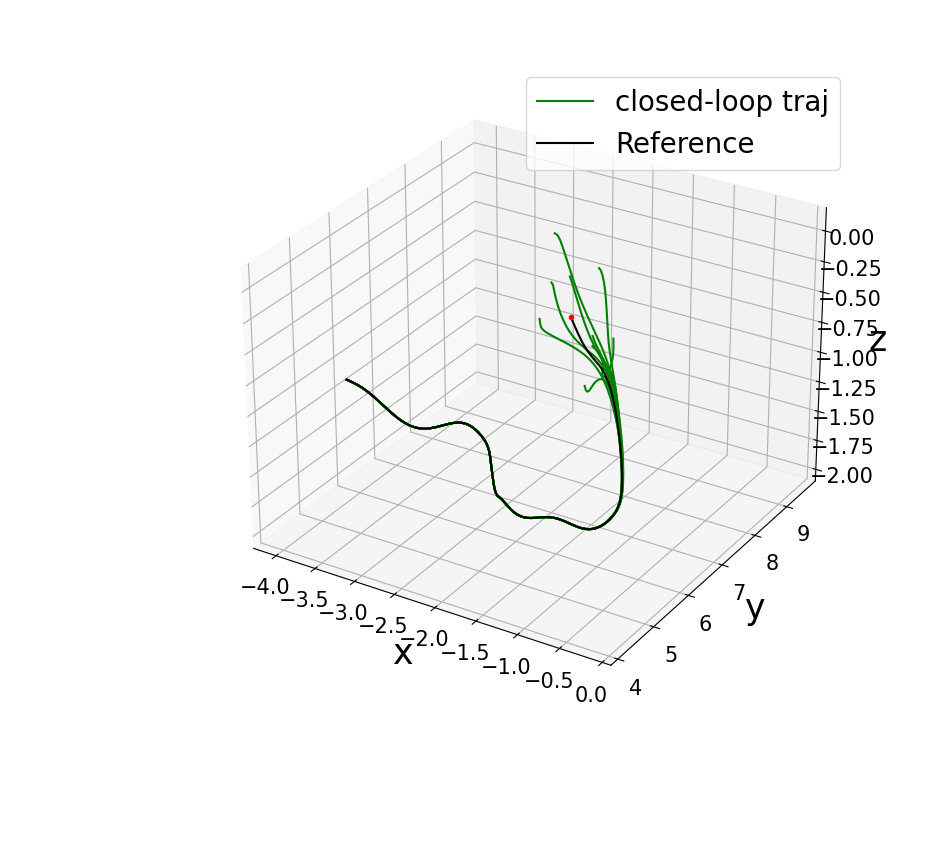
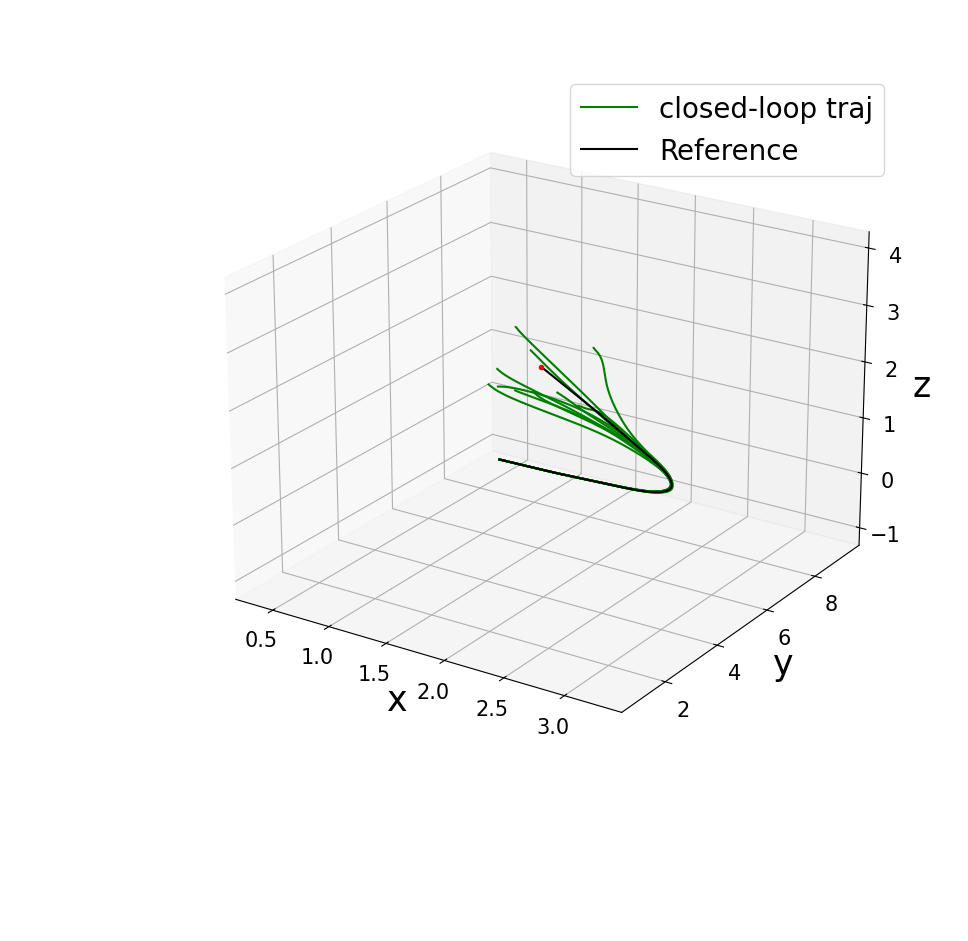
Repo: https://github.com/sundw2014/C3M,后人针对这个工作重新复现的Code:https://github.com/MIT-REALM/C3M-new.git。这篇工作代码比较简单,主要是数值仿真,没有复杂仿真依赖,git clone repo基本上就可以复现,是一个很好的开发基础。
Ego Planner 复现#
Repo: https://github.com/ZJU-FAST-Lab/ego-planner-swarm/tree/ros2_version, 仓库提供了ROS2分支,可以直接clone编译复现,没有什么好讲的,简单记录一下:
git clone https://github.com/ZJU-FAST-Lab/ego-planner-swarm.git
sudo apt install ros-humble-rmw-cyclonedds-cpp
echo "export RMW_IMPLEMENTATION=rmw_cyclonedds_cpp" >> ~/.bashrc
source ~/.bashrc #后续任务记得改回默认fast_dds
ros2 launch ego_planner rviz.launch.py
ros2 launch ego_planner single_run_in_sim.launch.py
但是作为基于前段搜索后端优化的轨迹规划sota-method,基本上都要拿来作为baseline对比的。
DiffPhysDrone 复现(TODO)#
Code: https://github.com/HenryHuYu/DiffPhysDrone/releases/download/v1.0/validation_code.zip, 这个代码单纯训练复现多机实验较为简单, 但是单机实验需要编译Flightmare,在Ubuntu 22.04、RTX 5090机器上复现较为困难,采用Docker复现。
YOPO 复现#
Repo: https://github.com/TJU-Aerial-Robotics/YOPO, 我是在Ubuntu 22.04, RTX 5090, Driver Version: 580.173.02, CUDA Version: 13.0上复现,所以只能构建Docker镜像复现。
1. 复现#
CMakeLists.txt#
将Simulator/src/CMakeLists.txt里面的这一行解注释:
# If automatic detection fails, you can delete above (cuda_select_nvcc_arch_flags(ARCH_FLAGS) ... endif()) and manually set the architecture flags here
# Examples (NVIDIA 5060 GPU):
set(ARCH_FLAGS "-gencode arch=compute_120,code=sm_120")start.sh#
使用tmux,写一个启动脚本start.sh放在YOPO工程目录下:
#!/bin/bash
# YOPO 一键启动(顺序启动各节点,每个节点独立 tmux 窗口)

# 检查是否在容器内
if [ ! -d /workspace ]; then
    echo "Error: This script must be run inside the YOPO Docker container."
    exit 1
fi

# 创建 tmux 会话,第一个窗口为 roscore
tmux new-session -d -s yopo -n roscore
tmux send-keys -t yopo:roscore "source /opt/ros/noetic/setup.bash && roscore" C-m

echo "Waiting for roscore to start (5s)..."
sleep 5

# 启动 Controller(窗口名:controller)
tmux new-window -t yopo -n controller
tmux send-keys -t yopo:controller \
    "cd /workspace/Controller && \
     source /opt/ros/noetic/setup.bash && \
     source devel/setup.bash && \
     roslaunch so3_quadrotor_simulator simulator_attitude_control.launch" C-m

sleep 3

# 启动 Simulator(窗口名:simulator)
tmux new-window -t yopo -n simulator
tmux send-keys -t yopo:simulator \
    "cd /workspace/Simulator && \
     source /opt/ros/noetic/setup.bash && \
     source devel/setup.bash && \
     rosrun sensor_simulator sensor_simulator_cuda" C-m

sleep 3

# 启动 YOPO 规划器(窗口名:yopo)
tmux new-window -t yopo -n yopo
tmux send-keys -t yopo:yopo \
    "cd /workspace/YOPO && \
     source /opt/conda/etc/profile.d/conda.sh && \
     conda activate yopo && \
     python test_yopo_ros.py --trial=1 --epoch=50" C-m

sleep 3

# 启动 rviz(窗口名:rviz)
tmux new-window -t yopo -n rviz
tmux send-keys -t yopo:rviz \
    "cd /workspace/YOPO && rviz -d yopo.rviz" C-m

# 附加到 tmux 会话(默认显示第一个窗口 roscore)
tmux attach -t yopodockerfile#
将下面dockerfile放在YOPO工程目录下:
FROM nvidia/cuda:12.8.2-devel-ubuntu20.04

# 避免交互式提示
ENV DEBIAN_FRONTEND=noninteractive
ENV TZ=UTC
RUN ln -snf /usr/share/zoneinfo/$TZ /etc/localtime && echo $TZ > /etc/timezone

RUN apt-get update && apt-get install -y curl gnupg lsb-release build-essential git tmux

RUN curl -sSL https://raw.githubusercontent.com/ros/rosdistro/master/ros.key | apt-key add - && \
    echo "deb http://packages.ros.org/ros/ubuntu $(lsb_release -sc) main" > /etc/apt/sources.list.d/ros-latest.list && \
    apt-get update && apt-get install -y ros-noetic-desktop-full python3-catkin-tools python3-rosdep && \
    rosdep init && rosdep update

RUN curl -sSL https://repo.anaconda.com/miniconda/Miniconda3-latest-Linux-x86_64.sh -o /tmp/miniconda.sh && \
    bash /tmp/miniconda.sh -b -p /opt/conda && rm /tmp/miniconda.sh
ENV PATH="/opt/conda/bin:$PATH"
# 接受 Anaconda 服务条款
RUN conda tos accept --override-channels --channel https://repo.anaconda.com/pkgs/main && \
    conda tos accept --override-channels --channel https://repo.anaconda.com/pkgs/r
RUN conda create -n yopo python=3.10 -y

WORKDIR /workspace
COPY . /workspace

RUN /opt/conda/envs/yopo/bin/pip install -r YOPO/requirements.txt
RUN /opt/conda/envs/yopo/bin/pip install --upgrade torch torchvision --index-url https://download.pytorch.org/whl/cu128

# 安装系统 empy
RUN apt-get install -y python3-empy
ENV PYTHON_EXECUTABLE=/usr/bin/python3
ENV LD_LIBRARY_PATH=/usr/lib/x86_64-linux-gnu:/lib/x86_64-linux-gnu:$LD_LIBRARY_PATH

# 修改 Simulator 的 CUDA 架构
RUN sed -i 's/-gencode;arch=compute_30,code=sm_30;-gencode;arch=compute_35,code=sm_35;//g' /workspace/Simulator/src/CMakeLists.txt
RUN sed -i 's/-gencode;arch=compute_50,code=sm_50;-gencode;arch=compute_52,code=sm_52;//g' /workspace/Simulator/src/CMakeLists.txt
RUN sed -i 's/^set(CUDA_ARCH_BIN.*/set(CUDA_ARCH_BIN "75 80 86 90")/' /workspace/Simulator/src/CMakeLists.txt

SHELL ["/bin/bash", "-c"]
# 编译 Controller
RUN source /opt/ros/noetic/setup.bash && \
    export PATH=/usr/bin:$PATH && \
    export PYTHON_EXECUTABLE=/usr/bin/python3 && \
    export PYTHONPATH=/usr/lib/python3/dist-packages:$PYTHONPATH && \
    cd /workspace/Controller && \
    rosdep install --from-paths src --ignore-src -r -y && \
    export VERBOSE=1 && catkin_make -j1

# 编译 Simulator
RUN source /opt/ros/noetic/setup.bash && \
    export PATH=/usr/bin:$PATH && \
    export PYTHON_EXECUTABLE=/usr/bin/python3 && \
    export PYTHONPATH=/usr/lib/python3/dist-packages:$PYTHONPATH && \
    cd /workspace/Simulator && \
    rosdep install --from-paths src --ignore-src -r -y && \
    export VERBOSE=1 && catkin_make -j1

# 写入 .bashrc(自动 source ROS 和 conda)
RUN echo "source /opt/ros/noetic/setup.bash" >> ~/.bashrc && \
    echo "source /opt/conda/etc/profile.d/conda.sh" >> ~/.bashrc && \
    echo "conda activate yopo" >> ~/.bashrc

RUN chmod +x /workspace/start.sh

CMD ["/bin/bash"]
3. Build & Reproduction#
1. Build Docker Image#
DOCKER_BUILDKIT=1 docker build -t yopo:latest . --progress=plain 2>&1 | tee build.log2 Run image and project#
xhost +
docker run --gpus all -it --rm -e DISPLAY=$DISPLAY -v /tmp/.X11-unix:/tmp/.X11-unix --network host --name yopo_container yopo:latest /workspace/start.sh